
What should I check before and after a new website launches?
Check in three passes. The week before: content signed off, forms tested, old addresses mapped, DNS records saved and logins in the business's name. Launch day: point the domain, confirm HTTPS, remove the staging noindex, test redirects and forms, and submit the sitemap. The week after: watch Search Console, fix broken links and confirm email still works.
Download the launch checklist (PDF)5 pages, 350 KB, free to print. What's inside
The short version
- Week before: sign-off, forms, redirects map, saved DNS, logins, a tested backup.
- Launch day: domain, HTTPS, remove noindex, robots.txt, redirects, forms, analytics, sitemap.
- Week after: Search Console, broken links, phone speed, email, Google profile, monitoring.
- Launch early in the week, early in the day, when people are around to fix things.
- Don’t change DNS records you don’t understand. Email lives there too.
What should I check the week before?
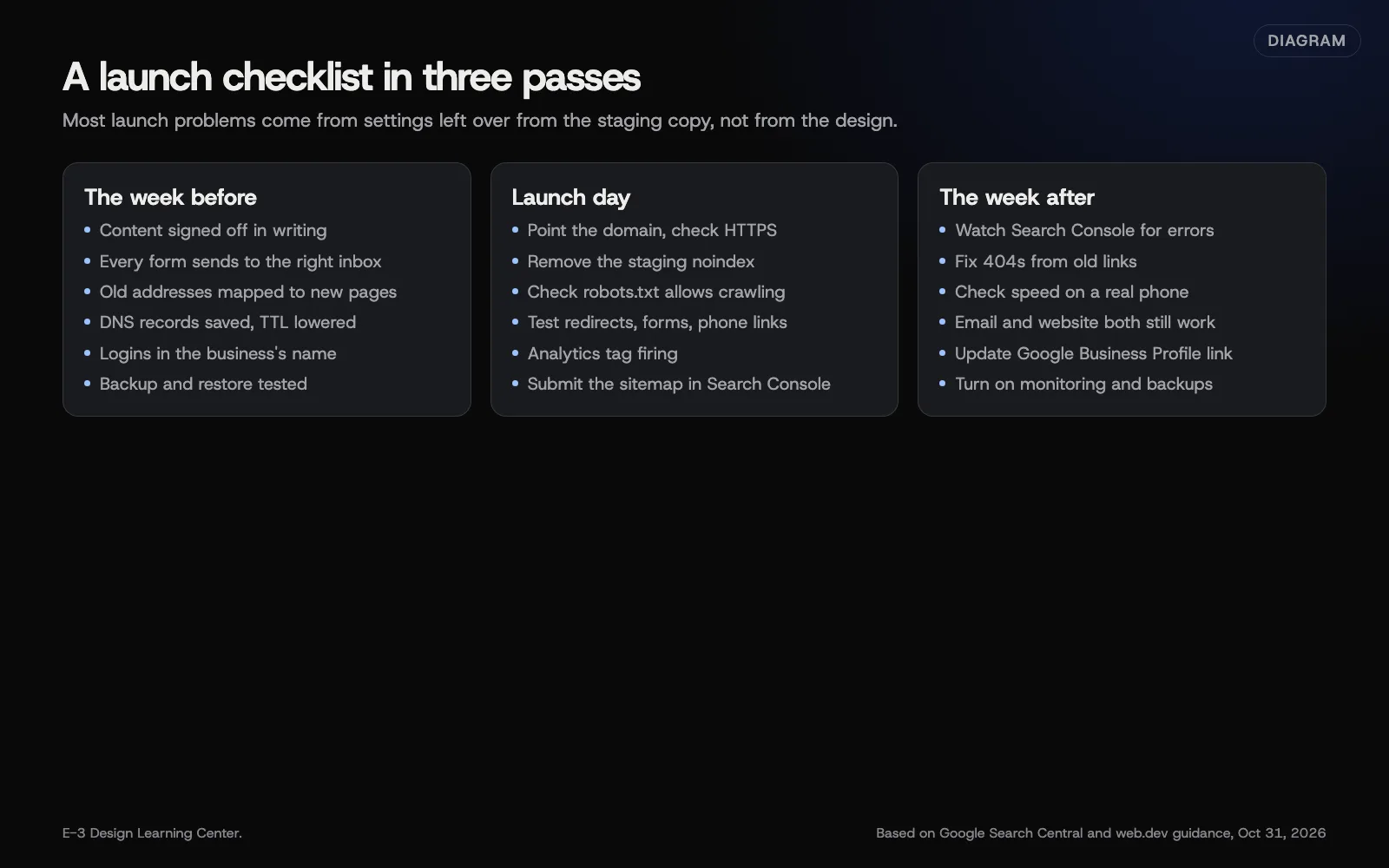 Diagram: a website launch checklist in three passes, based on Google Search Central and web.dev guidance (October 2026).
- Written sign-off on every page. See approving a design.
- Every form sends to the right inbox, and the confirmation reaches the customer. See form emails going to spam.
- Old addresses mapped to new pages, if this replaces a site. Our article on redesigning without losing what works covers the redirect map in detail.
- DNS records saved. Take a copy of every record before anything changes. Lowering the TTL a day ahead makes the switch quicker. See changing DNS safely.
- Accounts in the business’s name: domain, hosting, analytics, Search Console. See what to get when your website is finished.
- A backup, and proof it can be restored.
- Privacy policy and any cookie banner in place. See privacy and cookies.
What should happen on launch day?
- Point the domain at the new host. Change only the website records; leave MX, SPF, DKIM and DMARC alone.
- Check HTTPS. Every page should load with the padlock, and http:// should redirect to https://. See HTTPS redirects.
- Remove the staging noindex. Google’s noindex guide explains how the rule keeps pages out of results. On WordPress, also check the setting that discourages search engines is off.
- Check robots.txt. It shouldn’t block the whole site. Google’s robots.txt introduction explains what it controls.
- Test redirects from a sample of old addresses, especially your top pages.
- Test forms, phone links and booking on a phone.
- Check analytics is recording visits. See adding the Google tag.
- Submit the sitemap in Search Console. Google’s sitemap guide covers the format; our guide shows how to submit it.
What should I check the week after?
- Search Console for crawl errors and pages not indexed. See the page indexing report.
- Broken links and 404s from old addresses you missed. Add redirects.
- Speed on a real phone. See speed from day one.
- Email still works. Send and receive a test, especially if DNS moved.
- Your Google Business Profile points to the right page. See website and local ranking.
- Monitoring and backups are running. See uptime monitoring.
Why does a checklist matter?
Many launch-day problems aren’t design problems at all. They’re settings: a noindex left on, a form pointing to an old inbox, a DNS change that broke email, a redirect that was never added. Each one is quick to check and expensive to miss.
What are the common mistakes?
- Launching on a Friday afternoon. If something breaks, nobody is around.
- The staging noindex left on. Google keeps the site out of results until it’s removed.
- Deleting the old site immediately. Keep a copy until the new one is settled.
- DNS changes that touch email. Copy everything first and change only what the website needs.
- Forgetting printed addresses on vans, cards and brochures. Redirect them.
What if something breaks on launch day?
- Site not loading: check the DNS change and wait for it to spread. See how long DNS changes take.
- Email stopped: compare DNS against your saved copy and restore the mail records.
- Pages missing from Google after a few weeks: check noindex and robots.txt first. Google says it can take a few weeks to notice a new site.
- Form not arriving: test again, then check spam folders and the form’s email settings.
How much does it cost, and how long does it take?
The checks themselves take a few hours across the week. The DNS switch is minutes of work, plus waiting time.
How does E-3 handle this?
E-3 saves the existing DNS records before changing them, sets up Google Search Console and adds itself as a user, and sets up redirects at launch. Redesigns are tested on a staging copy first. For hosted sites, monitoring tracks PHP version, waiting updates, known plugin vulnerabilities, disk and database space, and domain and plugin-license renewals.
Related questions
Next step
- Next: What should I do in the first 90 days after launch?The next guide in Planning a new website.
- Website launch checklistA free printable checklist (PDF).
Still stuck? Ask E-3 for an answer from our help guides.
Rather we handled planning a new website for you?
It’s part of what we do every week for small businesses, as part of websites and redesigns. Start with a free check of your site and profile, or call and ask.