
Google updates and suggested edits: catch them fast
Google can change your profile using public suggestions, user reports and licensed data. Changed details show in blue text in the profile editor. For suggested edits Google asks you to review, you have 4 days to accept or reject. If you don't respond, Google may publish the change when other public information, like your website, supports it.
The short version
- Blue text in the profile editor marks information Google changed.
- Some suggested edits come with an email or notice. You have 4 days to respond.
- Silence can let the change through if your website or other sources agree with it.
- Fix wrong details under Edit profile, then Save.
- Your best defense is a website that matches your profile exactly.
How do I spot and fix outside changes?
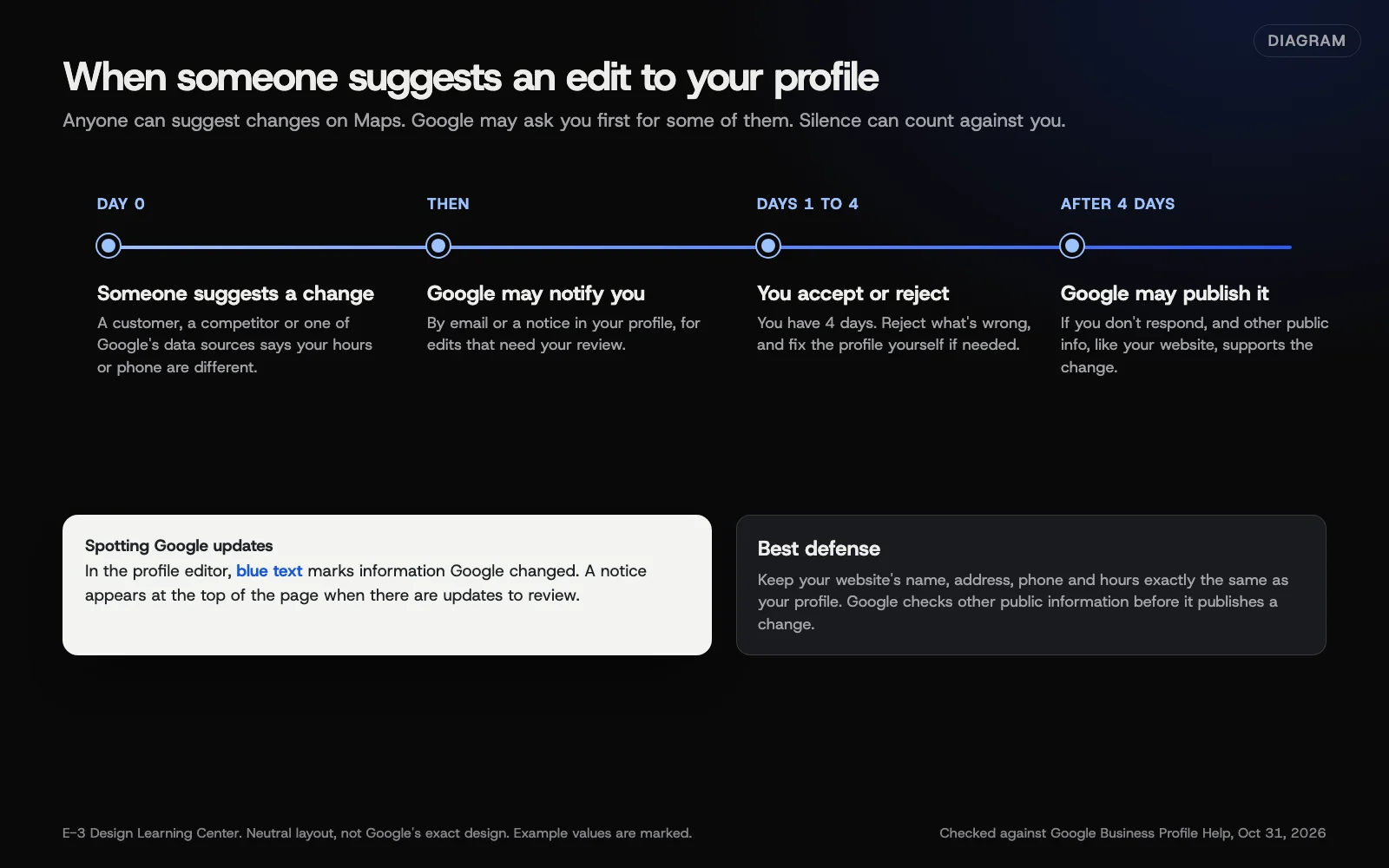 Diagram: the suggested-edit timeline, from a suggestion to the 4-day window and possible publishing. Based on Google Business Profile Help (October 2026).
Where changes show up
- Blue text. In the profile editor, blue text marks information Google changed. Normal black or white text means no Google update.
- A notice at the top. When your profile has Google updates, a notification appears at the top of the page.
- Email. Watch the inbox for the account that owns the profile. Notices about suggested edits and closures go there.
How to correct them
Google’s updates page points you to edit the profile directly:
- Go to your Business Profile and select Edit profile.
- Find the field with blue text, or the field you know is wrong.
- Enter the correct information.
- Select Save.
If Google sent a notice about a suggested edit, respond inside the 4 days. Reject what’s wrong and accept what’s right. Your correction then goes through Google’s normal review; Google’s editing page says changes are reviewed before they go live.
Why does Google change my profile at all?
You set your hours carefully, and a week later they’re different. It isn’t necessarily a hack. Google says it gathers information from sources such as user reports and licensed content. If those sources suggest your details are out of date, Google may update them on Maps, Search and other Google services.
There are two kinds of outside change:
- Google updates, made from Google’s own sources.
- Suggested edits from the public. Anyone using Google Maps can suggest new hours, a closure, a different phone number or a moved pin. Most people mean well, some are wrong, and now and then a competitor makes mischief.
Google can also apply some edits without asking you first, when needed to meet its policies.
What are the common mistakes and edge cases?
- The owner email goes nowhere. If notices land in an inbox nobody reads, the 4 days pass unseen. Our guide on owners and managers shows how to fix access.
- Your website disagrees with your profile. Google checks other public information before publishing an unanswered edit, so a stale website can work against you. Our answer on name, address and phone consistency explains why.
- Weekends. Four days goes quickly when a notice arrives on a Friday.
- Suddenly showing as closed. Google’s closure page says you may get an email if Google hears a location is temporarily closed. Check right away. If it’s wrong, go to Edit profile, then Hours, and set your hours back to open. Our guide to hours and closures has the steps.
- Calls from Google. Google sometimes calls or texts businesses to confirm details like hours. Its automated calls page explains how to opt out under Advanced settings. Google also says it never asks for your verification code. If a caller wants that code, or a payment to keep your listing, hang up.
What if the wrong information keeps coming back?
- Someone with access keeps changing it. Review the access list and remove anyone who shouldn’t be there.
- A second listing appeared, or an old one keeps returning. That’s a duplicate issue, covered in our guide to duplicate and unwanted listings.
- Other sites still show the old details. Update your website, Facebook, Apple Maps, Yelp and industry directories so they agree.
- Your profile was suspended after a run of edits. Fix the cause and appeal, as our suspension guide explains.
How much does it cost, and how long does it take?
Correcting your profile is free. The time that matters is Google’s: you get 4 days to respond to a suggested edit, and your own fix is reviewed before it goes live. A monthly look for blue text takes a few minutes and catches what slipped through, but it’s a backup: when a notice does arrive, respond within the 4 days.
How does E-3 handle this?
Keeping profile details correct is part of how we look after Google profiles in our SEO and AI search service. People at E-3 make the corrections and check the profile shows them.
Related questions
Next step
- Next: Fix duplicate, fake and unwanted Google listingsThe next guide in Google Business Profile.
- Google Business Profile checklistA free printable checklist (PDF).
Still stuck? Ask E-3 for an answer from our help guides.
Rather we handled google business profile for you?
It’s part of what we do every week for small businesses, as part of seo and ai search. Start with a free check of your site and profile, or call and ask.