
Can you show review stars for your own business?
Not from your own site's markup. Google calls reviews a business controls about itself self-serving, and pages with LocalBusiness or Organization markup that do this are ineligible for star snippets. Product pages with real customer reviews can qualify. You can still show genuine reviews on your site as plain text. Never mark up fake, copied or undisclosed incentivized reviews.
The short version
- Star snippets from your own site’s markup about your own business: not eligible in Google. Your Google Business Profile rating is separate and can still show.
- Product pages with real customer reviews on them: can be eligible.
- Don’t copy ratings from Google, Yelp or Facebook into your markup.
- Fake or undisclosed incentivized reviews break Google’s guidelines and, in the US, the FTC’s rule.
- Displaying real reviews as plain text on your site is fine and useful.
Which pages can get review stars?
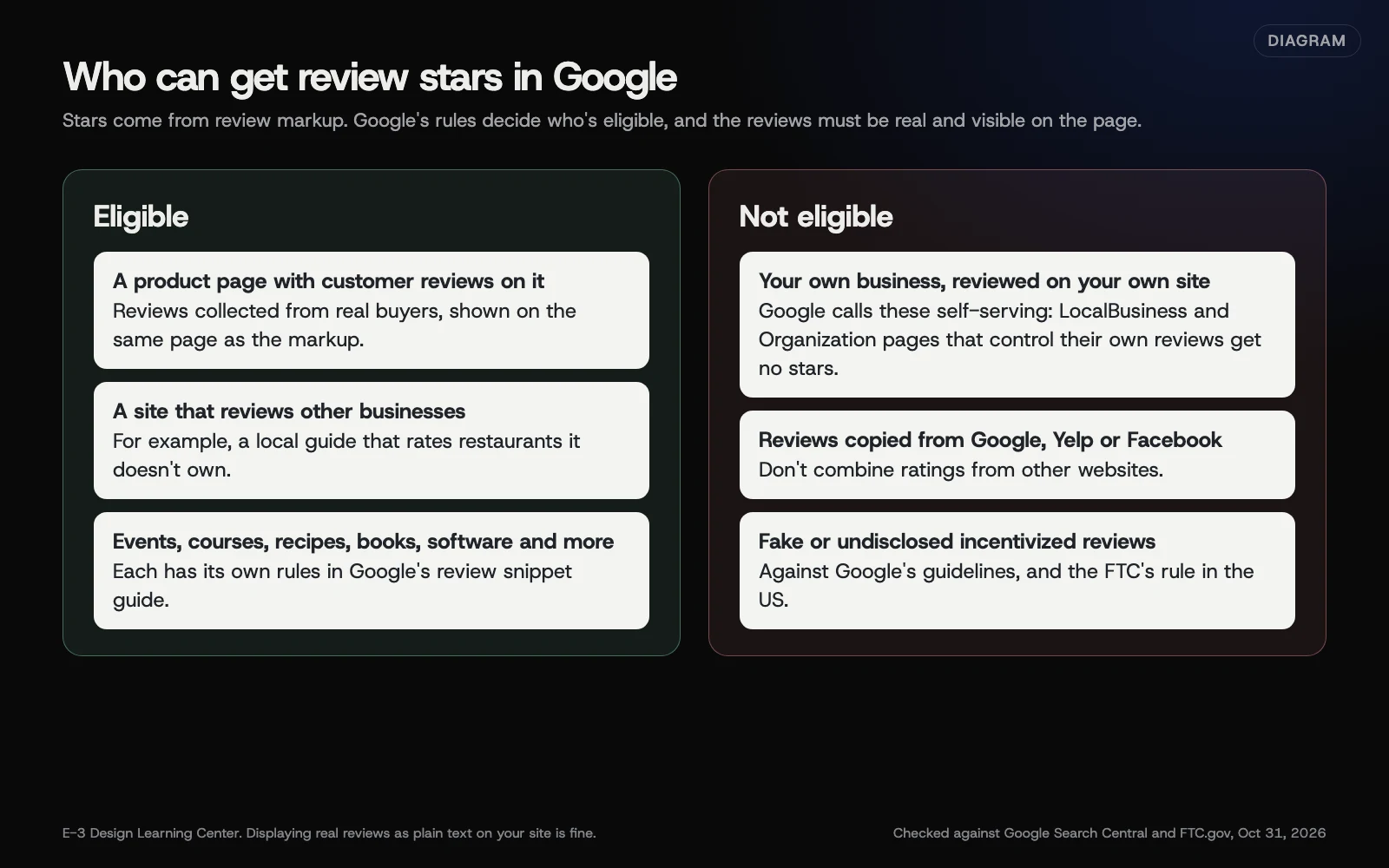 Diagram: which pages can get review stars in Google and which can’t. Checked against Google Search Central and FTC.gov, October 31, 2026.
Google’s review snippet guide supports stars for reviews of a Book, Course, Event, Local business, Movie, Product, Recipe or Software App, plus some other types. But it restricts two of them:
- LocalBusiness: “only for sites that capture reviews about other local businesses.”
- Organization: “only for sites that capture reviews about other organizations.”
And it says that if “the entity that’s being reviewed controls the reviews about itself,” its pages with LocalBusiness or Organization markup are ineligible for the star feature. That’s what Google means by self-serving reviews. A plumber’s testimonial page about the plumber is exactly this case.
How do I show reviews safely?
- Show real reviews as text on your site. Add the reviewer’s first name or initials and the date, if they agreed. This helps visitors whether or not there’s any markup. Our reviews guide on showing reviews on your website honestly covers the display side.
- Don’t add Review or AggregateRating markup about your own business. It won’t earn stars. Google’s general guidelines also warn that misleading markup can bring a manual action. That takes away your rich results.
- For product pages, mark up reviews only if customers wrote them on that page. If you mark up several individual reviews, Google says to also include an overall (aggregate) rating of them. The reviews must show on the page. And Google says: “Don’t aggregate reviews or ratings from other websites.”
- Collect reviews properly. Google recommends accepting only ratings “accompanied by a review comment and author’s name.”
- Point people to Google for local reviews. Your Google Business Profile is where star ratings for a local business show in Google.
Why are the rules so strict?
Because stars influence clicks, and a business grading itself isn’t a fair signal. Google added a further guideline in July 2026, recorded in its documentation updates: “Don’t include fake or undisclosed incentivized reviews on your page or in your structured data markup.”
In the US there’s also the law, explained in our guide to the FTC fake reviews rule. The FTC’s Consumer Reviews and Testimonials Rule went into effect on October 21, 2024. It bans fake reviews. It bans paying for reviews that must be good or bad. Reviews from staff must disclose the connection. A review site you own can’t pose as independent. And you can’t bury or block honest reviews. This is a summary, not legal advice, so check with your own lawyer if you’re unsure.
What are the common mistakes?
- A plugin that adds “5 stars” to every page of a service business. Turn it off.
- Copying your Google rating (say, 4.9 from 120 reviews) into AggregateRating markup.
- Reviews only in the markup, not shown on the page.
- Picking only the best reviews for an aggregate rating. An aggregate must reflect the reviews it summarizes.
- Offering a discount for a review without disclosure, or only to happy customers.
What if my site already has review markup?
Run your home and service pages through the Rich Results Test. If it shows review snippets for your own LocalBusiness or Organization, remove that markup, or ask whoever manages the site to. Keep the visible reviews. If you’ve had a manual action, Search Console’s Manual actions report says what Google found; fix it and request a review. See what a manual action is and how to fix one. See common schema mistakes.
How much does it cost, and how long does it take?
Removing self-serving markup costs nothing beyond the time, and is usually a plugin setting or a few lines. Showing reviews as text takes as long as copying them in with permission.
How does E-3 handle this?
Getting and replying to reviews is part of our leads and follow-up service. If a client’s site carries star markup about their own business, we recommend removing it and keeping the real reviews visible as text, with the change made on a staging copy before the live site.
Related questions
Sources
- Review snippet structured data (Google Search Central)
- Local business structured data (Google Search Central)
- General structured data guidelines (Google Search Central)
- The Consumer Reviews and Testimonials Rule: Questions and Answers (FTC)
- Latest Google Search documentation updates (Google Search Central)
Next step
- Next: How to test your schema markupThe next guide in Schema for owners.
- Free website checkPublic checks on your own site, then an action plan of what to fix first.
Still stuck? Ask E-3 for an answer from our help guides.
Rather we handled schema for owners for you?
It’s part of what we do every week for small businesses, as part of leads and highlevel. Start with a free check of your site and profile, or call and ask.