
Showing reviews on your website, honestly
Show real reviews with the reviewer's first name, the date and the source, and link to your full Google or Facebook reviews. Never hide negative reviews while implying you show them all; the FTC rule bans it. Expect no Google stars from markup on your own testimonials: Google says businesses controlling their own reviews are not eligible.
The short version
- Show real reviews, with a first name, a date and the source, such as “Google review.”
- Link to your full reviews on Google or Facebook so visitors can see everything.
- Don’t hide bad reviews while suggesting you show all of them. The FTC rule bans that.
- Star markup on your own testimonials won’t earn stars in Google results.
- Get each customer’s OK before quoting them by name on your site.
How should I show reviews on my site?
- Choose where they go. A short reviews section on the home page and on each service page works better than one long reviews page nobody visits.
- Use real words from real customers. Copy them exactly. Fix nothing but obvious typos, and don’t trim away the meaning.
- Say where each came from. “Google review, March 2026” builds more trust than an unattributed quote.
- Link to the full set. A “Read all our Google reviews” link to your profile shows you’re not hiding anything.
- Ask permission before using a customer’s name or photo in your own marketing.
- Keep them fresh. Replace old quotes now and then with recent ones.
Embedded review widgets
Many sites embed a live feed of Google or Facebook reviews. That can work well, because it updates itself and shows the real rating. Check the widget’s settings: if it’s set to show only 5-star reviews, see the FTC section below.
Why won’t Google show stars for my reviews?
Google’s review snippet guidelines say that when “the entity that’s being reviewed controls the reviews about itself,” its pages with LocalBusiness or Organization markup “are ineligible for star review feature.” Google made this change in September 2019, and it applies even to reviews shown through a third-party widget. So markup won’t put stars beside your own testimonials in Google results; your stars on Google come from your Business Profile reviews. Our schema guide, can you show review stars for your own business?, covers the markup side in full.
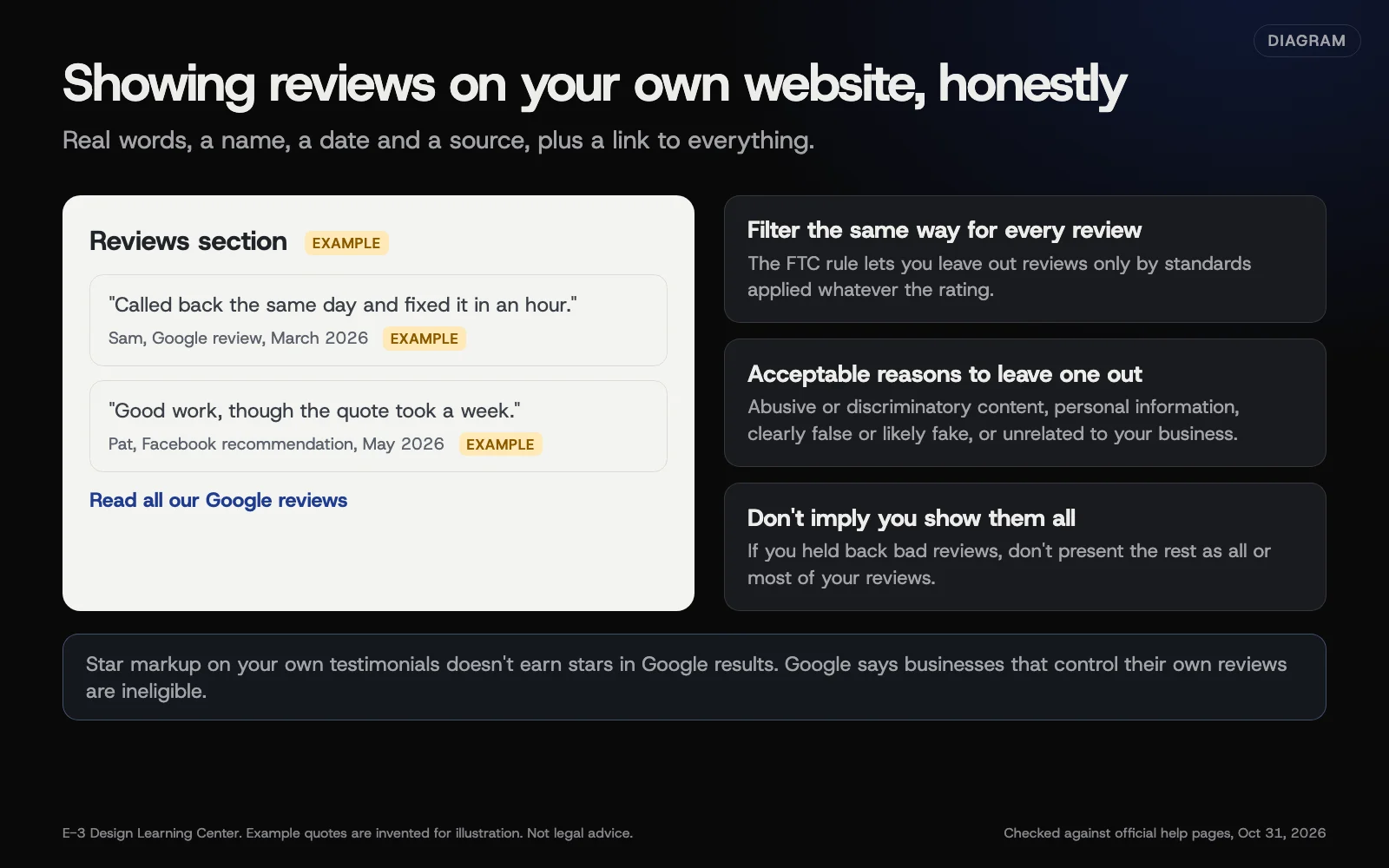 Diagram: honest ways to show reviews on your own website, and what the FTC rule says about which reviews you show. Based on the FTC rule and Google Search Central, checked October 31, 2026.
What does the FTC say about choosing which reviews to show?
The FTC rule’s review suppression section, 16 CFR 465.7, says a business can’t misrepresent that the reviews on its site are all or most of the reviews submitted when it’s held some back because of their rating or negativity.
You can still leave some reviews out, if you apply the same standard to every review whatever its rating. The rule lists acceptable reasons, including:
- abusive, defamatory or discriminatory content;
- someone’s personal information;
- content that’s clearly false or reasonably believed to be fake;
- content unrelated to your products or services.
The FTC’s Q&A adds two practical points. Sorting reviews is fine if the same policy applies to positive and negative ones. And sorting by highest rating by default isn’t covered by the rule but could still be deceptive under the FTC Act. A few hand-picked testimonials used in marketing fall under the wider FTC Act rather than this section. This isn’t legal advice.
The plain test: would a visitor be misled about what customers really think?
What are the common mistakes and edge cases?
- A “reviews” page that’s only 5-star quotes with a heading like “What all our customers say.”
- Rewriting a customer’s words to sound better. Quote them, or don’t use them.
- Testimonials with no name, date or source. They read as made up, even when they’re not.
- Copying reviews from Yelp without checking its terms. Link to your Yelp page instead.
- A widget that filters out low ratings by default. Check the settings.
- Star markup on every page that repeats your own testimonials. It won’t earn stars.
What if this didn’t work?
- Your Google results lost stars you used to have. If the stars came from markup on your own LocalBusiness or Organization pages about your own business, the 2019 change explains it: those pages aren’t eligible. If not, check the rest: whether the page is still indexed, whether the markup still validates in Google’s Rich Results Test, and remember Google never guarantees showing stars even when everything is right. Your Business Profile still shows your rating in local results.
- A customer asks you to remove their review from your site. Do it promptly.
- You’re not sure your current page complies. Show a link to all reviews and drop wording that implies completeness.
How much does it cost, and how long does it take?
Adding a few attributed reviews is a small website edit. Review widgets range from free to paid subscriptions. Reviewing your current page against this guide takes about 20 minutes.
How does E-3 handle this?
We can add or update a reviews section on your site as a normal website edit: you see a preview and approve it before it goes live. Requests and replies are part of our leads and follow-up service. We won’t add star markup to your own testimonials, since Google’s guidelines say it can’t produce stars.
Related questions
Sources
- Review snippet structured data (Google Search Central, updated September 8, 2026)
- Making Review Rich Results more helpful (Google Search Central Blog, September 16, 2019)
- The Consumer Reviews and Testimonials Rule: Questions and Answers (FTC Business Guidance)
- 16 CFR 465.7, Review suppression (Legal Information Institute)
- FTC's Endorsement Guides: What People Are Asking (FTC Business Guidance)
Next step
- Next: Handle negative reviews on Yelp, Facebook and the BBBThe next guide in Reviews.
- Free website checkPublic checks on your own site, then an action plan of what to fix first.
Still stuck? Ask E-3 for an answer from our help guides.
Rather we handled reviews for you?
It’s part of what we do every week for small businesses, as part of leads and highlevel. Start with a free check of your site and profile, or call and ask.