
Where should our files live: OneDrive, SharePoint or Teams?
Keep each person's drafts and working files in OneDrive, and keep files the business needs to keep in SharePoint, usually through a team in Teams. When you share, choose Specific people unless you have a reason not to. Business plans include 1 TB of SharePoint storage per organization plus 10 GB per license.
The short version
- OneDrive: one person’s files. Private until they share them.
- SharePoint: the team’s files. They stay put when people leave.
- Teams: a window onto both. Channel files go to SharePoint; chat files go to OneDrive.
- Share with Specific people by default. Use Anyone links rarely, with an expiry date.
- Move business files out of personal OneDrives before anyone leaves.
Where does each kind of file go?
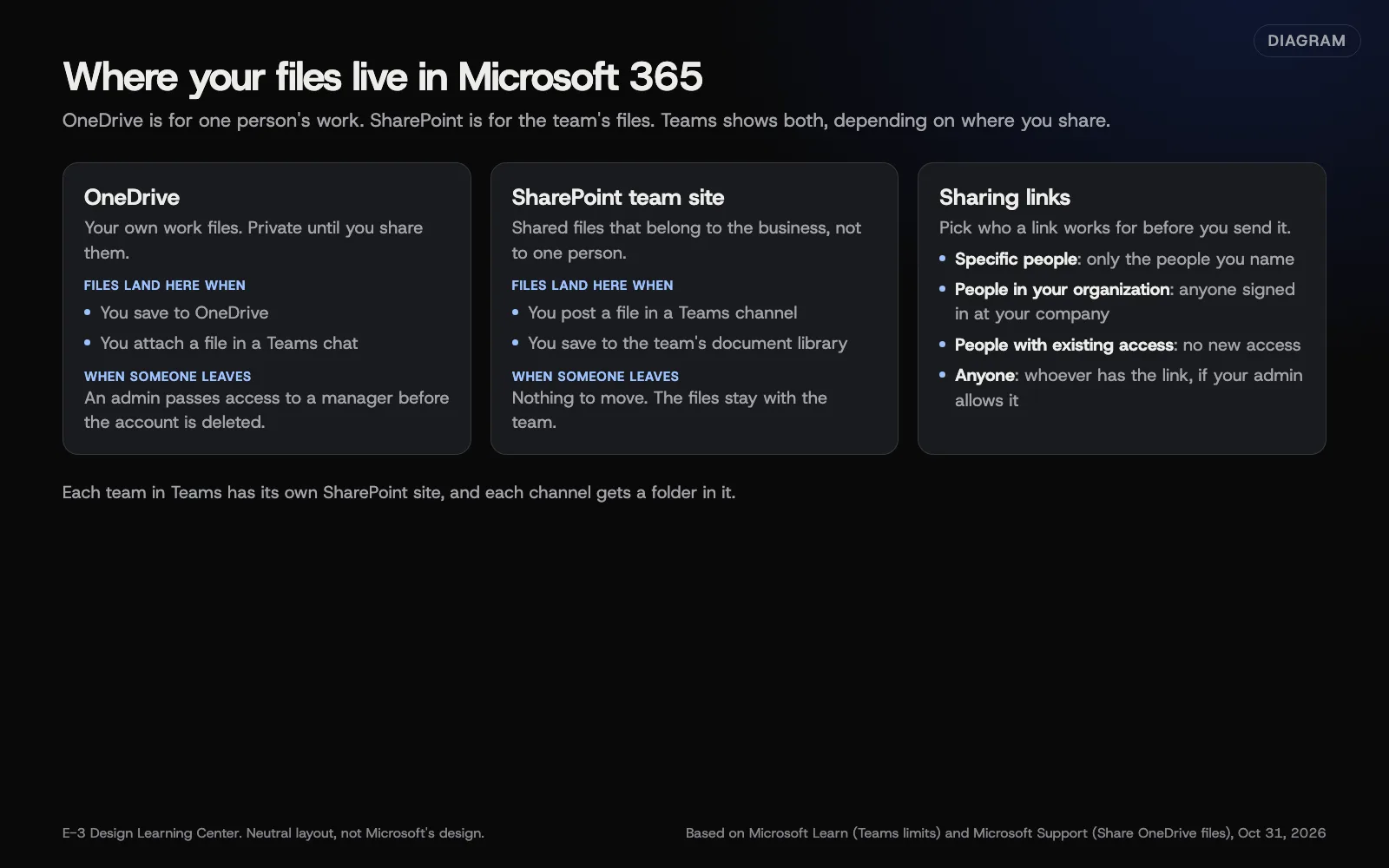 Diagram: where files live in Microsoft 365 and the four sharing link types, based on Microsoft Learn and Microsoft Support (October 2026).
| File | Best home | Why |
|---|---|---|
| A draft quote you’re still working on | Your OneDrive | It’s yours until it’s ready |
| Signed contracts, price lists, job photos | A SharePoint library, through a team | The business keeps them when staff change |
| A file for a quick question to one colleague | Post it in a channel if others will need it | Chat attachments land in your OneDrive |
| Templates everyone uses | The team’s files in SharePoint | One copy, always current |
Microsoft’s Teams limits page explains the plumbing: each team has a SharePoint site, each channel gets a folder there, and files shared in private chats use OneDrive. So “it’s in Teams” can mean either place.
How do I share a file safely?
These steps follow Microsoft’s sharing guide for work accounts:
- Select the file or folder, then Share.
- Select the settings gear to open the link settings.
- Choose who the link works for:
- Specific people: only the people you name. The safest default.
- People in your organization with the link: anyone signed in at your company.
- People with existing access: sends a link without giving anyone new access.
- Anyone: whoever has the link, including outsiders. Only if your admin allows it.
- Under the extra settings, turn Allow editing on or off. For Anyone links on a Microsoft 365 plan, you can also Set expiration date and Set password.
- Select Apply, then send or copy the link.
Expected result: the person opens the file with the access you chose, and nobody else can.
How do I stop sharing?
- Select the file or folder.
- Select the Information icon at the top right to open the details pane.
- Under Has Access, select Manage access.
- Select the X next to the link, then Remove link.
Why does this matter?
Files in a personal OneDrive belong, in practice, to whoever signs in to it. Microsoft’s retention page says that when a user is deleted, their manager gets access to their OneDrive for 30 days by default, after which it’s deleted. If business files only ever lived there, that’s a short window. Files in SharePoint don’t have that problem.
Links matter too. An Anyone link forwarded by a customer can be opened by people you never meant to share with.
How much storage do we get?
Microsoft’s SharePoint limits give Business plans 1 TB of SharePoint storage per organization plus 10 GB for each license bought. Each person’s OneDrive is separate from that pool. The largest single file you can upload is 250 GB. Microsoft warns that an organization that keeps running over its storage limit can be put into read-only mode, so check usage in the SharePoint admin center now and then.
What are the common mistakes?
- Everything in one person’s OneDrive. Often the owner’s. If they’re away, nobody can reach the files.
- Anyone links by habit. Use Specific people unless the recipient truly can’t sign in.
- Syncing a whole library to every laptop. Microsoft recommends syncing no more than 300,000 files. Sync only the folders each person needs.
- Very long folder names. Microsoft limits the full file path to 400 characters.
- Treating the recycle bin as a backup. It isn’t one. Deleted items count against storage until emptied.
What if someone can’t open a file I shared?
- Check which link type you used. People in your organization won’t work for an outside customer.
- If it’s an Anyone link and it still fails, your admin may have turned that option off.
- Check whether the link has expired.
- As a last resort, share again with Specific people using the email address they actually sign in with.
How much does it cost, and how long does it take?
OneDrive and SharePoint are included in Business Basic, Standard and Premium. Extra storage can be bought in 1 GB steps. Moving an office’s shared files from a server or personal folders into SharePoint takes planning; a small office can usually move the essentials in a day.
How does E-3 handle this?
When we set up Microsoft 365, the account is created in your business’s name with E-3 added as a user, so the files belong to you. When someone leaves, see offboarding an employee for how to keep their files.
Related questions
Next step
- Next: How do I turn on two-step sign-in for Microsoft 365?The next guide in Microsoft 365 for small business.
- Free website checkPublic checks on your own site, then an action plan of what to fix first.
Still stuck? Ask E-3 for an answer from our help guides.
Rather we handled microsoft 365 for small business for you?
It’s part of what we do every week for small businesses, as part of managed wordpress hosting. Start with a free check of your site and profile, or call and ask.