
What do I do in the first hour after an account takeover?
From a device you trust, change the password and sign the account out of every session. Then check the sign-in methods, remove forwarding and inbox rules you didn't create, review connected apps, and turn on passkeys or two-step login. Warn contacts by phone, check for payment fraud, and report it if money or customer data is involved.
The short version
- Use a device you trust, not the one that might be infected.
- Reset the password and sign out every session, so the intruder is thrown out.
- Hunt for what they left behind: new sign-in methods, forwarding and inbox rules, connected apps.
- Lock it down with a passkey or two-step login.
- Check the damage: sent mail, payments, and who needs warning.
How do I know it’s a takeover?
Common signs: contacts get emails you didn’t send, sent items you don’t recognize, replies vanish, an alert about a sign-in from somewhere new, or a password that suddenly doesn’t work. If someone is only faking your address from outside, your account is fine. Our answer on someone sending fake emails as me explains how to tell the difference.
If it’s your website that was hacked, see what to do if your site was hacked instead.
What do I do, minute by minute?
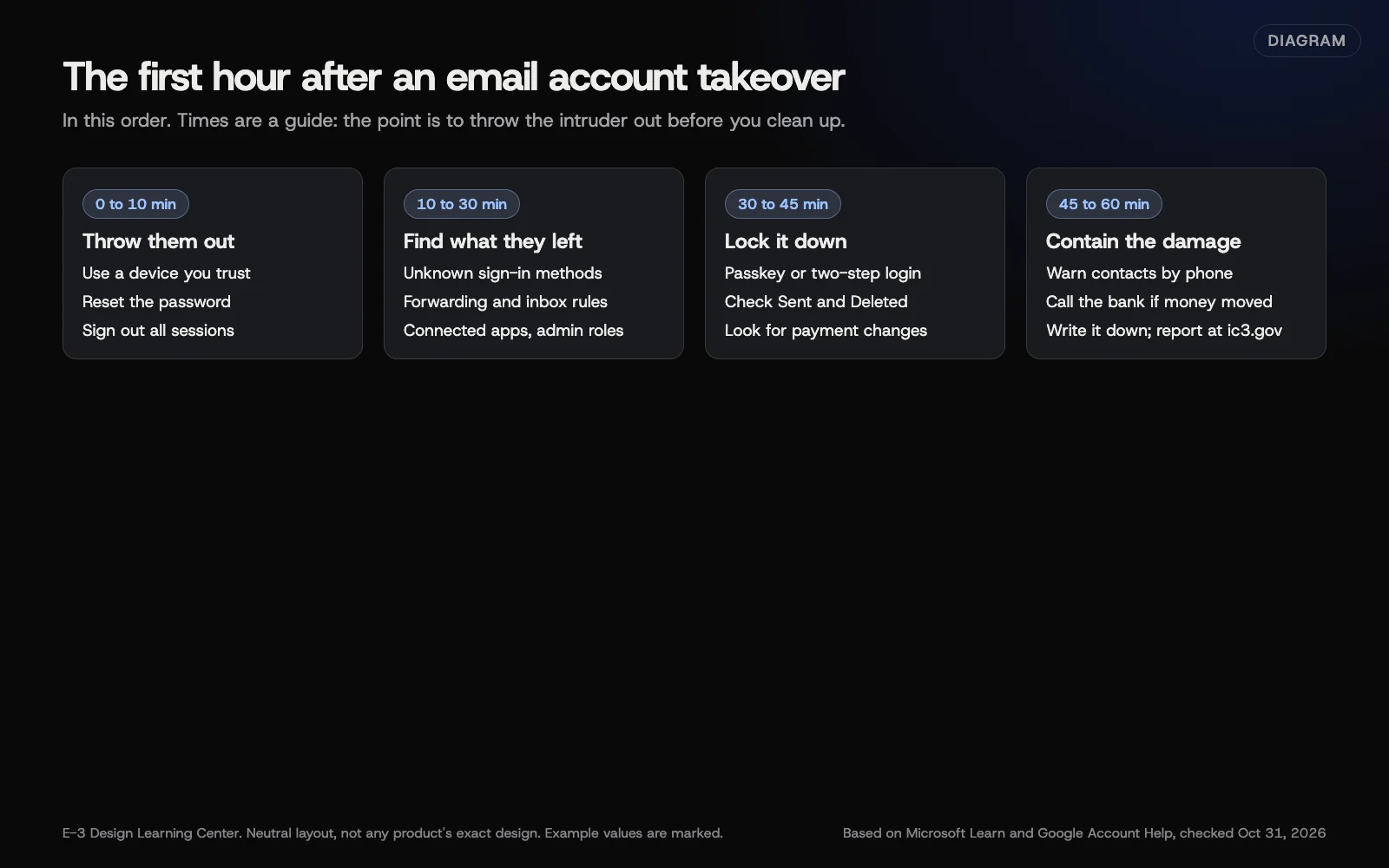 Diagram: the first hour after a business email or account takeover, in order. Based on Microsoft Learn and Google Account Help (October 2026). Times are a guide, not a rule.
1. Throw them out (first 10 minutes)
- Use a computer or phone you trust.
- Change the password to a new, long one from your password manager.
- Sign out all other sessions. In Google, the account’s security page lists Your devices, where you can sign out of each. In Microsoft 365, an administrator can revoke the user’s sessions.
Microsoft’s compromised account guide tells administrators to disable the account first if they can, then reset the password. Never send the new password by email.
2. Find what they left behind (10 to 30 minutes)
Intruders set traps so they can get back in or keep reading your mail:
- Sign-in methods. Remove phones, authenticator apps or passkeys you don’t recognize. Microsoft lists reviewing the user’s registered MFA devices as a step.
- Forwarding and inbox rules. Delete rules that forward mail outside, move messages to odd folders or delete replies. Microsoft’s guide says to check inbox rules, including hidden ones; Google’s hacked account page says to check Gmail filters and forwarding.
- Connected apps. Remove apps you didn’t approve. Microsoft lists reviewing apps with user consent.
- Recovery details. Check the recovery phone and email are yours.
- Admin roles. If it’s a Microsoft 365 or Workspace account, check it hasn’t been given extra admin rights.
3. Lock it down (30 to 45 minutes)
- Turn on a passkey or two-step login if it wasn’t on.
- Look through Sent and Deleted items for what the intruder sent.
- Check for payment changes or invoices sent from the account. If any, read business email compromise now.
4. Contain the damage (45 to 60 minutes)
- Warn contacts who may have received messages, by phone or a new email without links.
- Call your bank if any payment was changed or sent.
- Change passwords elsewhere if you used the same one on other accounts.
- Write down what you found and when. You’ll need it for your insurer or a report.
- Report it at ic3.gov if money was lost or attempted.
What if I’m the admin of a Microsoft 365 or Workspace account?
Use the admin tools, not just the user’s settings. Microsoft’s guide lists the admin steps in order: disable or reset, revoke sessions, review MFA devices, review consented apps, review admin roles, review forwarders and inbox rules, then check sign-in and audit logs. If the user was blocked from sending, remove them from the restricted list once the account is clean.
For Google Workspace, the admin compromised accounts page covers resetting the password, resetting sign-in cookies, revoking app access and reviewing the audit logs.
What are the common mistakes and edge cases?
- Changing the password on an infected computer. The intruder sees the new one.
- Changing the password but not signing out sessions. The intruder stays signed in.
- Missing the forwarding rule. The intruder keeps reading your mail after you’ve “fixed” it.
- Deleting evidence. Note rules and messages before deleting them.
- Telling contacts by replying in the hacked thread. Phone them instead.
What if I can’t get back in?
Use the official recovery process: Google’s account recovery, or your Microsoft 365 administrator. If you run your own Microsoft 365 and you’re the only admin, contact Microsoft support. Never use recovery “help” from someone who contacted you first.
Do I need to tell anyone else?
If customer personal information was in the account, you may have legal duties to notify people. See what to do after a data breach. This isn’t legal advice.
How long does it take?
The steps above take about an hour for one account. Checking logs and contacts can take the rest of the day.
How does E-3 handle this?
Business email is one of the services E-3 provides. If a mailbox we provide may have been taken over, call us at 814-399-4655. For websites we look after through website care, security alerts and daily backups are part of the service.
Related questions
Next step
- Next: How do I train my staff on cybersecurity?The next guide in Cybersecurity basics.
- Website careUptime monitoring, tested updates, daily backups and security alerts.
Still stuck? Ask E-3 for an answer from our help guides.
Rather we handled cybersecurity basics for you?
It’s part of what we do every week for small businesses, as part of website care. Start with a free check of your site and profile, or call and ask.